Evaluating Vector Banners in Gradient Colors for Modern Design Projects
In the evolving landscape of digital and print media, the demand for versatile, high-quality visual assets continues to grow. Among these assets, Vector Banners in Gradient Colors have emerged as a fundamental resource for designers seeking flexibility and aesthetic appeal. These graphics are not merely static images; they are mathematical constructs that allow for infinite scalability without loss of quality. For professionals and hobbyists alike, understanding the specific utility, benefits, and limitations of these gradient-based vector files is essential before integrating them into a workflow.
Understanding the Asset Structure
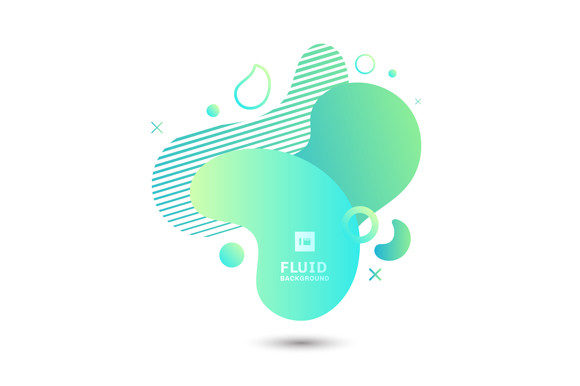
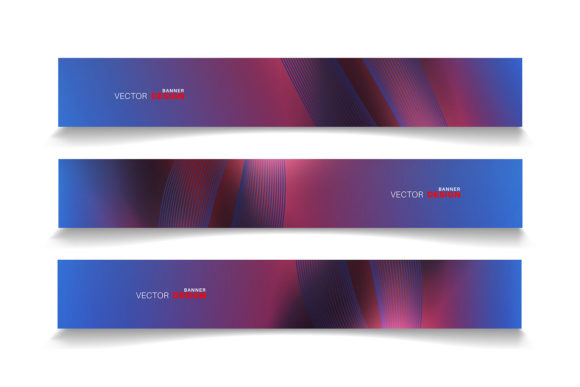
At their core, Vector Banners in Gradient Colors are composed of paths defined by points, lines, and curves, rather than a fixed grid of pixels. The defining characteristic of this specific collection is the use of gradient fills—smooth transitions between two or more colors—which add depth, dimension, and a modern feel to flat layouts. When you acquire such a package, you are typically receiving files in the EPS 10 format. This version of the Encapsulated PostScript standard is widely supported across the industry, ensuring compatibility with both legacy and current software environments.
The inclusion of a JPEG sample preview serves a practical purpose: it allows users to visualize the final output quickly without needing to launch heavy design applications. However, the true value lies in the editable nature of the source files. Because all objects and colors are fully editable, the designer retains complete control over the visual hierarchy. This means a blue-to-purple gradient can be shifted to orange-to-red to match a brand's palette instantly, a feat that is often time-consuming or impossible with rasterized images.
Primary Applications and Use Cases
The versatility of these banners makes them suitable for a wide array of projects. They are particularly effective as backgrounds for websites, where their scalable nature ensures they look crisp on everything from mobile screens to large desktop monitors. In the realm of graphic design, these vectors serve as foundational elements for creating marketing materials, such as brochures, flyers, and business cards, where professional polish is required.
For digital displays and large-format printing, the vector format is indispensable. Unlike raster images that become pixelated when enlarged beyond their original resolution, vector graphics maintain sharp edges regardless of size. This makes them an ideal choice for trade show banners, billboards, and vehicle wraps. Furthermore, in web design and UI/UX layouts, these gradients can be used to create engaging headers, call-to-action sections, or hero images that load efficiently while providing a rich visual experience.
Benefits of Using Editable Vector Gradients
One of the most significant advantages of utilizing Vector Banners in Gradient Colors is the efficiency they bring to the design process. Time is a critical resource in professional settings. By starting with a pre-designed structure that is already optimized for balance and composition, designers can bypass the initial stages of layout creation. The ability to edit all object colors means that adapting a single template for multiple clients or campaigns becomes a streamlined task. Instead of recreating a design from scratch, a designer can simply adjust the gradient stops and stroke weights.
Additionally, the mathematical precision of vectors ensures consistency across different media. Whether the final output is a small social media graphic or a massive outdoor advertisement, the integrity of the design remains intact. This reliability reduces the risk of errors during the production phase, such as blurry text or jagged lines, which can undermine the professionalism of a project.
Technical Considerations and Software Compatibility
While the benefits are clear, potential users must consider the technical requirements for editing these files. The primary tool for working with EPS 10 files is Adobe Illustrator, which offers the most robust set of features for manipulating vector paths and gradient meshes. However, the utility of these files extends beyond Illustrator. Many users may wonder if they can utilize these assets in Photoshop or other graphic design software.
It is important to note that while Photoshop can open and place EPS files, it often rasterizes them upon import unless they are placed as "Smart Objects." To maintain the full editability of the vector paths and gradients within Photoshop, one must use Smart Objects, which act as a container for the vector data. If a user intends to make extensive changes to the shape or color gradients, working directly in a vector-native application like Illustrator, CorelDRAW, or Affinity Designer is generally recommended. Users relying solely on raster-based editors may find their flexibility somewhat limited compared to those using dedicated vector tools.
Evaluating Fit: When to Choose This Asset
Deciding whether Vector Banners in Gradient Colors align with your project goals depends on several factors. This asset is a strong fit if your project requires:
- Scalability: You need a design that will be used across various sizes, from app icons to building signage.
- Brand Adaptability: You need to match specific corporate colors that differ from the default preview.
- Print Production: The final output will be printed professionally, requiring high-resolution paths rather than pixels.
- Efficiency: You are working under tight deadlines and need a high-quality base to build upon quickly.
In these scenarios, the investment in a high-quality vector pack pays off through time savings and superior output quality. The gradient elements specifically cater to modern design trends that favor depth and vibrancy over flat, monochromatic styles.
When Alternatives May Be Preferable
Despite their advantages, vector gradients are not the solution for every design challenge. There are situations where alternatives may be worth considering. For instance, if a project demands highly photorealistic textures, complex lighting effects, or organic details that mimic real-world photography, raster images or 3D renders might be more appropriate. Vectors excel at geometric precision and stylized abstraction but can sometimes lack the nuanced randomness found in natural imagery.
Furthermore, if the end-user does not have access to vector-editing software or the technical knowledge to manipulate Bezier curves and gradient meshes, a pre-rendered high-resolution PNG or JPEG might be a more practical choice. While this sacrifices the ability to edit colors and shapes, it removes the barrier of technical complexity. Additionally, for very specific web implementations where file size is the absolute priority and scalability is not needed, optimized raster formats might offer faster load times than complex vector SVGs, although modern compression has largely mitigated this gap.
Making an Informed Decision
Ultimately, the decision to incorporate Vector Banners in Gradient Colors into your toolkit should be based on a clear assessment of your project's scope and your technical capabilities. If you prioritize flexibility, future-proofing your designs against resolution changes, and the ability to rapidly iterate on color schemes, these assets provide exceptional value. The inclusion of the EPS 10 format ensures that you are working with an industry-standard file type that balances compatibility with advanced features.
Before downloading, verify that your software stack supports the editing features you require. If you are comfortable navigating Adobe Illustrator or similar vector programs, these banners offer a powerful foundation for creating professional-grade layouts. By understanding both the strengths of the vector format and the specific aesthetic contribution of gradient colors, you can effectively determine if this resource will enhance your design workflow and help you achieve your visual objectives.